


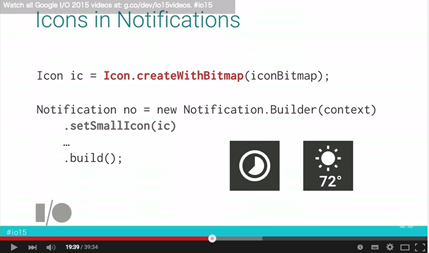
Android M(API Level 22)から、Notification#Builder.setSmallIcon() に Icon を指定できるようになりました。
これにより、ソースコード上で「動的に描画した画像」を「通知アイコン」として表示することができるため、
従来よりも簡単に「状態によって変化するテキストや図形」などを表現することができます。
例えば、従来は、電池残量アプリで、0%〜100%のアイコン表示をするために、101枚の画像リソースを用意していましたが、
今後は、アイコンを1枚も用意することなく、同様の表現が可能となります。
ソースコード サンプル
// 動的に描画したビットマップからアイコンを作成
Bitmap bitmap = Bitmap.createBitmap(96, 96, Bitmap.Config.ARGB_8888);
{
    // 好きな絵を描く(ここでは適当な数字を描画)
    Canvas canvas = new Canvas(bitmap);
    canvas.drawARGB(0, 0, 0, 0xFF);
    TextPaint textPaint = new TextPaint();
    textPaint.setAntiAlias(true);
    textPaint.setColor(Color.BLACK);
    textPaint.setFakeBoldText(true);
    textPaint.setTextSize(72);
    canvas.drawText("12", 0, 72, textPaint); // サンプルなのでハードコードですが
}
Icon icon = Icon.createWithBitmap(bitmap); // 動的に描画した画像からアイコンを作成
//  通知
Notification n = new Notification.Builder(this)
        .setContentTitle("Title")
        .setContentText("Text")
//     .setSmallIcon(R.mipmap.ic_launcher)   // 従来は静的なリソースしか指定できなかった
        .setSmallIcon(icon)                   // API Level 22からIconも指定できるようになった
        .build();
NotificationManager nm = (NotificationManager) getSystemService(Context.NOTIFICATION_SERVICE);
nm.notify(1, n);


